
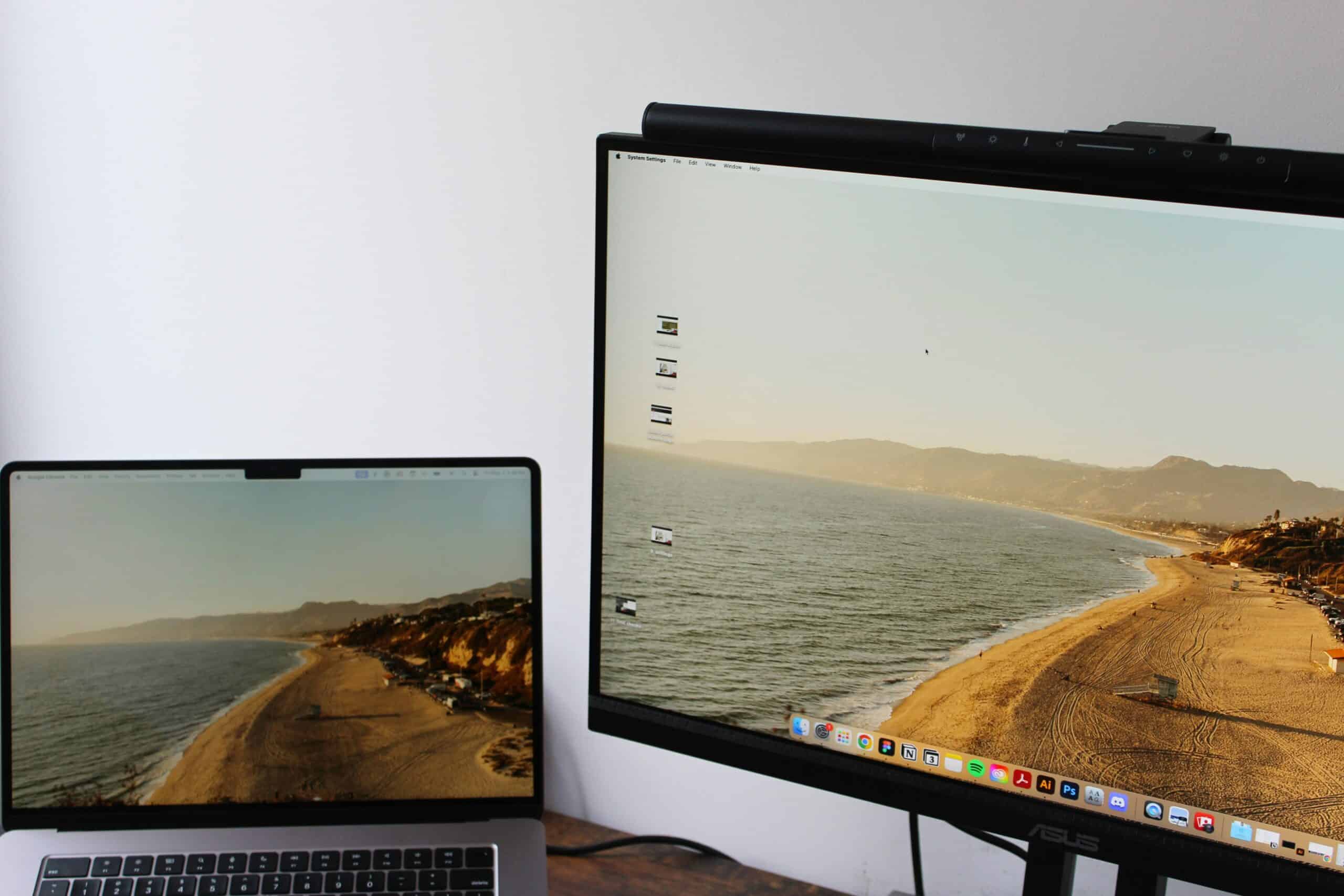
For people who get migraines, the hours spent looking at a bright, glare-streaked screen can be a daily strain, and the best anti-glare screen filters for migraine aim to reduce that strain at its source. An anti-glare filter is a thin layer fitted over a monitor, laptop, or other screen that cuts reflections and harsh glare, making the screen easier to look at. The right filter fits your screen, genuinely reduces glare, and suits how you work. For more on this, see our guide to creating a migraine-friendly workspace.
This article is for general information only and is not medical advice. Migraine is a medical condition, and an anti-glare filter is a comfort and environmental tool, not a treatment or cure. Triggers and helpful measures vary from person to person. Always consult a qualified healthcare provider about migraine diagnosis, prevention, and treatment, and about managing your specific triggers.
Anti-glare screen filters fall into a few broad types. Matte anti-glare filters diffuse reflections for a non-reflective screen surface. Filters that combine anti-glare with blue-light reduction address two things at once. Privacy filters add glare reduction alongside their main function. Filter sizes and attachment styles vary by device. Match the filter to your screen and needs rather than buying based on price alone.
Below are five anti-glare screen filter picks covering different needs and price points. Each pick balances glare reduction, fit, and value rather than relying on marketing claims.
Why Screen Glare Can Be a Migraine Concern
Many migraine sufferers experience light sensitivity, and screens are a significant source of light in modern daily life. Bright screens, harsh glare, and reflections bouncing off a display can contribute to visual strain and discomfort, and for people prone to migraine, screen-related visual strain is something many find worth managing as part of their environment.
Glare specifically adds strain. When light from a window or overhead fixture reflects off a screen, the eyes work harder to see past the reflections, and a glossy screen surface can produce harsh, distracting bright spots. Reducing that glare makes a screen easier and more comfortable to look at over the hours of a workday.
An anti-glare filter addresses this part of the environment. By cutting reflections and diffusing harsh light at the screen surface, a filter can make screen time more comfortable. It is important to be clear: a filter is an environment and comfort measure, not a migraine treatment, and screen glare is only one possible factor among many. Managing it is one piece of a broader approach guided by a healthcare provider. Pair this with our guide to common migraine triggers for the bigger picture.
What to Look for in an Anti-Glare Screen Filter
Five factors separate genuine quality anti-glare filters from disappointing ones. Get these right, and the filter makes your screen more comfortable to look at.
Screen Size and Fit
The filter must match your screen’s size and dimensions. Filters are sold for specific monitor sizes, laptop sizes, and devices. Measure your screen and check the filter’s compatibility before buying, since a poorly fitting filter does not work well.
Glare Reduction Effectiveness
The core function is reducing glare and reflections. A quality matte or anti-glare filter genuinely diffuses reflections, turning a glossy reflective screen into a more matte, comfortable surface. Effective glare reduction is the central thing to look for.
Attachment Method
Filters attach in different ways: some hang or slot onto a monitor, others use tabs or an adhesive method, and some simply rest in place. Consider how the filter attaches, whether it suits your device, and whether you want it to be easily removable. Our guide to whether astigmatism causes headaches covers an uncorrected vision problem that produces the same screen-related pattern.
Clarity
An anti-glare filter should reduce glare without overly degrading the screen’s clarity or making the display look dim or fuzzy. Look for a filter that cuts reflections while keeping the screen reasonably crisp and clear to read.
Added Features
Some filters combine anti-glare with blue-light reduction or privacy functions. Consider whether you want a single-purpose anti-glare filter or one that addresses more than one thing, based on your needs.
Best Anti-Glare Screen Filters for Migraines in 2026: Our Top 5 Picks
Five anti-glare screen filters covering different needs and price points. Each pick earned its slot through real glare reduction, fit, and value.
1. Matte Anti-Glare Monitor Filter, Best Overall
Best Overall | Price: ~$30 per filter
A matte anti-glare monitor filter takes the top slot by doing the core job well, genuinely reducing glare and reflections, with a good fit and reasonable clarity at an accessible price. The matte filter fits over a monitor and diffuses the reflections that make a screen harsh to look at, turning a glossy display into a more comfortable matte surface.
The glare reduction is the standout. A quality matte filter effectively diffuses the reflections from windows and overhead lights that bounce off a glossy screen, cutting the harsh, bright spots and making the screen easier on the eyes over a long stretch of work. For reducing screen glare as part of a comfortable workspace, this is the central function done well.
The filter comes in sizes for common monitors, attaches in a straightforward way, and keeps the screen reasonably clear while cutting glare. For most people wanting an effective anti-glare filter for a monitor, the matte filter is the sensible default. At around $30, it delivers solid glare reduction affordably. Remember, a filter is a comfort measure, not a treatment. Cross-reference with our migraine glasses guide for managing light sensitivity.
Key Features
- Matte anti-glare surface
- Diffuses reflections and harsh glare
- Sizes for common monitors
- Straightforward attachment
- Keeps the screen reasonably clear
PROS:
- Effective glare reduction
- Turns a glossy screen matte
- Fits common monitor sizes
- Reasonable screen clarity retained
- Affordable for the quality
CONS:
- Single-purpose, anti-glare only
- Must match the monitor size
- A comfort tool, not a treatment
- Slight clarity trade-off, as with any filter
Best for: Most people, monitor users wanting effective glare reduction, and a more comfortable screen surface.
2. Anti-Glare and Blue-Light Filter, Best for Combined Screen Comfort
Best for Combined Screen Comfort | Price: ~$40 per filter
An anti-glare and blue-light filter serves those who want to address more than one aspect of screen comfort at once. In addition to diffusing glare and reflections, this filter also reduces the amount of blue light from the screen. For people who want to manage both glare and blue light as part of a comfortable workspace, the combined filter does both in one product.
The dual function is the key advantage. The filter handles glare reduction, making the screen surface more comfortable to look at, while also cutting blue light, which some people choose to reduce as part of managing screen comfort. Rather than choosing between the two, this filter addresses both aspects of the screen at once.
The filter fits over a monitor or device and attaches practically, delivering both functions in a single layer. The trade-off is the somewhat higher price for the combined features, and as with any filter, fit and clarity matter. For combined screen comfort, the anti-glare and blue-light filter delivers two functions together. Cross-reference with our migraine triggers guide for managing your environment.
Key Features
- Combines anti-glare and blue-light reduction
- Diffuses reflections and harsh glare
- Reduces blue light from the screen
- Two functions in one filter
- Fits monitors and devices
PROS:
- Addresses glare and blue light together
- One filter for two functions
- Effective glare reduction
- Convenient combined design
- Suits comprehensive screen comfort
CONS:
- Higher price for combined features
- Must match the screen size
- A comfort tool, not a treatment
- Blue-light reduction helps some, not all
Best for: Those wanting combined screen comfort, managing glare and blue light together, and comprehensive screen adjustment.
3. Basic Anti-Glare Screen Protector, Best Budget
Best Budget | Price: ~$15 per protector
A basic anti-glare screen protector delivers genuine functional glare reduction at the lowest credible price point. For budget-conscious shoppers or anyone who wants to reduce screen glare without significant investment, the basic protector provides credible function affordably. It handles the core job of cutting reflections on a screen.
The protector provides the fundamental function. A basic anti-glare screen protector applies an anti-glare layer to a screen, diffusing reflections and reducing harsh glare, the core improvement over a bare glossy screen. For someone who wants more comfortable screen time at a low price, the basic protector delivers that core reduction in glare.
The trade-offs match the budget tier honestly. A basic protector is functional rather than refined, may suit smaller screens or specific devices, and lacks added features like blue-light reduction. For budget-conscious shoppers wanting basic glare reduction, the basic protector delivers genuine value. For a larger monitor filter or combined features, the higher-tier filters are worth the step up.
Key Features
- Anti-glare layer for a screen
- Diffuses reflections
- Reduces harsh glare
- Functional design
- Lowest price for an anti-glare filter
PROS:
- Lowest cost for glare reduction
- Cuts reflections on a screen
- Simple to apply
- More comfortable screen time
- Widely available
CONS:
- Functional rather than refined
- May suit smaller screens or specific devices
- No added features
- A comfort tool, not a treatment
Best for: Budget-conscious shoppers, basic glare reduction, smaller screens, and affordable screen comfort.
4. Laptop Anti-Glare Filter, Best for Laptop Users
Best for Laptop Users | Price: ~$25 per filter
A laptop anti-glare filter is designed specifically for laptop screens rather than desktop monitors. Laptops are used everywhere, often near windows or under bright lighting where glare is a problem, and a filter sized and designed for laptop screens addresses glare on the device that many people use most.
The laptop-specific design is the key value. Laptop filters come sized for common laptop screen dimensions and attach in ways suited to a laptop, often a thin filter that fits the screen and can travel with the device. For someone whose main screen is a laptop, a properly sized laptop filter addresses glare on that specific device, including in the varied lighting laptops get used in.
The filter diffuses reflections to make the laptop screen more comfortable and is built to suit a portable device. The trade-off is that a laptop filter is sized for laptops specifically, so it suits that device rather than a large desktop monitor. For laptop users, the laptop anti-glare filter delivers glare reduction for the screen they use most. Cross-reference with our migraine glasses guide for light sensitivity beyond the screen.
Key Features
- Designed for laptop screens
- Sized for common laptop dimensions
- Suited to a portable device
- Diffuses reflections and glare
- Can travel with the laptop
PROS:
- Made specifically for laptops
- Addresses glare on the most-used device
- Suited to varied lighting, laptops are used in
- Travels with the laptop
- Effective glare reduction
CONS:
- Sized for laptops specifically
- Not for large desktop monitors
- Must match the laptop screen size
- A comfort tool, not a treatment
Best for: Laptop users, those whose main screen is a laptop, and glare reduction on a portable device.
5. Anti-Glare Privacy Filter, Best Two-in-One
Best Two-in-One | Price: ~$45 per filter
An anti-glare privacy filter serves those who want glare reduction and screen privacy in one product. A privacy filter limits the screen’s visibility from the side, useful in shared offices or public spaces, and many privacy filters also provide an anti-glare surface, so the filter addresses both screen privacy and glare comfort together. Our guide to lumbar supports and seat cushions goes into that side of it.
The two-in-one function is the key value. For someone who wants screen privacy in a workplace or public setting and also wants to reduce glare for screen comfort, a combined anti-glare privacy filter handles both, rather than needing a separate filter for each. The anti-glare surface diffuses reflections while the privacy function limits side viewing.
The filter fits over a monitor or laptop and attaches practically. The trade-offs are that privacy filters tend to cost more, the privacy function is the primary design focus with anti-glare as a paired benefit, and privacy filters can affect screen brightness from the user’s view. For glare reduction plus privacy, the two-in-one filter delivers both. Cross-reference with our guide to managing migraine triggers for more on the environment.
Key Features
- Combines anti-glare and privacy
- Diffuses reflections
- Limits side screen visibility
- Two functions in one filter
- Fits monitors and laptops
PROS:
- Glare reduction plus screen privacy
- One filter for two purposes
- Useful in shared or public spaces
- Anti-glare surface for comfort
- Convenient combined design
CONS:
- Higher price than single-purpose filters
- Privacy is the primary design focus
- Can affect screen brightness from the user’s view
- A comfort tool, not a treatment
Best for: Those wanting glare reduction plus privacy, shared offices and public spaces, and a two-in-one filter.
Quick Comparison
| Filter | Best For | Standout | Device | Price |
|---|---|---|---|---|
| Matte Anti-Glare Filter | Overall use | Effective glare reduction | Monitor | ~$30 |
| Anti-Glare and Blue-Light | Combined comfort | Two functions | Monitor or device | ~$40 |
| Basic Screen Protector | Budget | Low price | Screen or device | ~$15 |
| Laptop Anti-Glare Filter | Laptop users | Laptop-specific design | Laptop | ~$25 |
| Anti-Glare Privacy Filter | Two-in-one | Glare plus privacy | Monitor or laptop | ~$45 |
How to Choose and Use an Anti-Glare Screen Filter
Match the filter to your screen. The filter must fit your specific screen, whether a desktop monitor or a laptop, in the correct size. Measure your screen and check the filter’s compatibility before buying, since a filter that does not fit properly will not work well or look right.
Address the room’s lighting, too. A filter reduces glare at the screen, but the lighting around the screen also matters. Positioning the screen to avoid direct window or overhead-light reflections and managing room lighting works alongside a filter. The filter and the environment together make a screen more comfortable.
Keep screen glare in perspective. Screen glare is one possible environmental factor, and an anti-glare filter is a comfort and environmental measure, not a migraine treatment. Triggers and helpful measures vary widely from person to person. Use a filter as one part of a broader approach to managing your environment, guided by a healthcare provider.
Take screen breaks regardless. Whatever filter you use, taking regular breaks from the screen is a widely suggested habit for general visual comfort during long screen time. A filter helps with glare, but stepping away from the screen periodically is a sensible habit alongside it. Discuss screen use and migraine with a healthcare provider for guidance specific to you. Cross-reference with our migraine triggers guide for more.
Our Take on Anti-Glare Screen Filters
The matte anti-glare monitor filter earns the top spot because it does the core job well, genuinely reducing glare and reflections, with a good fit and reasonable clarity at an accessible price. For most people wanting to make a monitor more comfortable to look at, this is the sensible, effective choice.
Other filters suit specific needs. The anti-glare and blue-light filter addresses two aspects of screen comfort together. The basic protector delivers glare reduction on a budget. The laptop filter is designed for laptop screens specifically. The anti-glare privacy filter combines glare reduction with screen privacy for shared spaces.
Whatever you choose, match the filter to your screen, address the room’s lighting alongside it, and take regular screen breaks. Most importantly, keep screen glare in perspective: a filter is a comfort and environmental measure, not a migraine treatment, and triggers vary from person to person. Used as one part of an approach guided by a healthcare provider, an anti-glare filter can make screen time more comfortable.
Frequently Asked Questions
What are the best anti-glare screen filters for migraine?
The best anti-glare screen filters are the matte anti-glare monitor filter for overall use, an anti-glare and blue-light filter for combined comfort, a basic protector for budget, a laptop filter for laptop users, and an anti-glare privacy filter as a two-in-one option. Match the filter to your screen, and remember a filter is a comfort measure, not a migraine treatment.
Can screen glare affect migraines?
Many migraine sufferers experience light sensitivity, and bright screens, harsh glare, and reflections can contribute to visual strain and discomfort, which is why some people choose to manage screen glare. However, screen glare is only one possible environmental factor among many, triggers vary widely from person to person, and a filter is a comfort measure rather than a treatment. Discuss your triggers with a healthcare provider.
When should I see a doctor about my migraines?
Consult a healthcare provider about migraines for proper diagnosis, prevention, and treatment, especially if migraines are frequent, severe, worsening, or interfering with daily life. Seek prompt medical attention for a sudden, severe headache, a headache with new neurological symptoms, or a headache that feels different or concerning. An anti-glare filter is a comfort tool, not a substitute for medical care.
Do anti-glare screen filters actually work?
Quality anti-glare screen filters do reduce glare and reflections, diffusing the light that bounces off a glossy screen and turning the surface more matte and comfortable to look at. How much difference this makes for any individual varies. A filter addresses screen glare specifically, as one environmental factor, and works best alongside good room lighting and sensible screen habits.
What is the difference between anti-glare and blue-light filters?
An anti-glare filter reduces reflections and harsh glare bouncing off the screen surface, making the screen easier to look at in bright lighting. A blue-light filter reduces the amount of blue light the screen emits. They address different things, and some filters combine both. Choose based on whether you want to manage glare, blue light, or both as part of screen comfort.
Will an anti-glare filter fit my screen?
Anti-glare filters are sold in sizes for specific monitor and laptop screen dimensions, so whether one fits depends on matching the filter to your screen’s size. Measure your screen and check the filter’s compatibility before buying. A filter sized correctly for your specific device will fit properly and work as intended, while a mismatched one will not.
Should I use an anti-glare filter or just adjust my lighting?
Both approaches work together. An anti-glare filter reduces glare at the screen surface, while adjusting room lighting and positioning the screen away from direct window or overhead reflections addresses glare at its source. Using a filter and managing the lighting environment together tends to be more effective than either alone for making a screen comfortable to look at.
Is an anti-glare filter a migraine treatment?
No, an anti-glare screen filter is not a migraine treatment. It is a comfort and environmental measure that reduces screen glare, which some people manage as one possible factor in their environment. Migraine treatment and prevention should be guided by a qualified healthcare provider. Use a filter as one part of managing your environment alongside proper medical care.
More Light Sensitivity Guides
Recommended Reading
Sources
- Headache Classification Committee of the International Headache Society. The International Classification of Headache Disorders, 3rd edition. Cephalalgia. 2018;38(1):1-211. https://ichd-3.org/
- Lipton RB, Munjal S, Buse DC, et al. Results From the American Migraine Prevalence and Prevention (AMPP) Study. Headache. 2016;56(10):1635-1648. https://headachejournal.onlinelibrary.wiley.com/
- National Institute of Neurological Disorders and Stroke. Migraine. National Institutes of Health. https://www.ninds.nih.gov/health-information/disorders/migraine
