
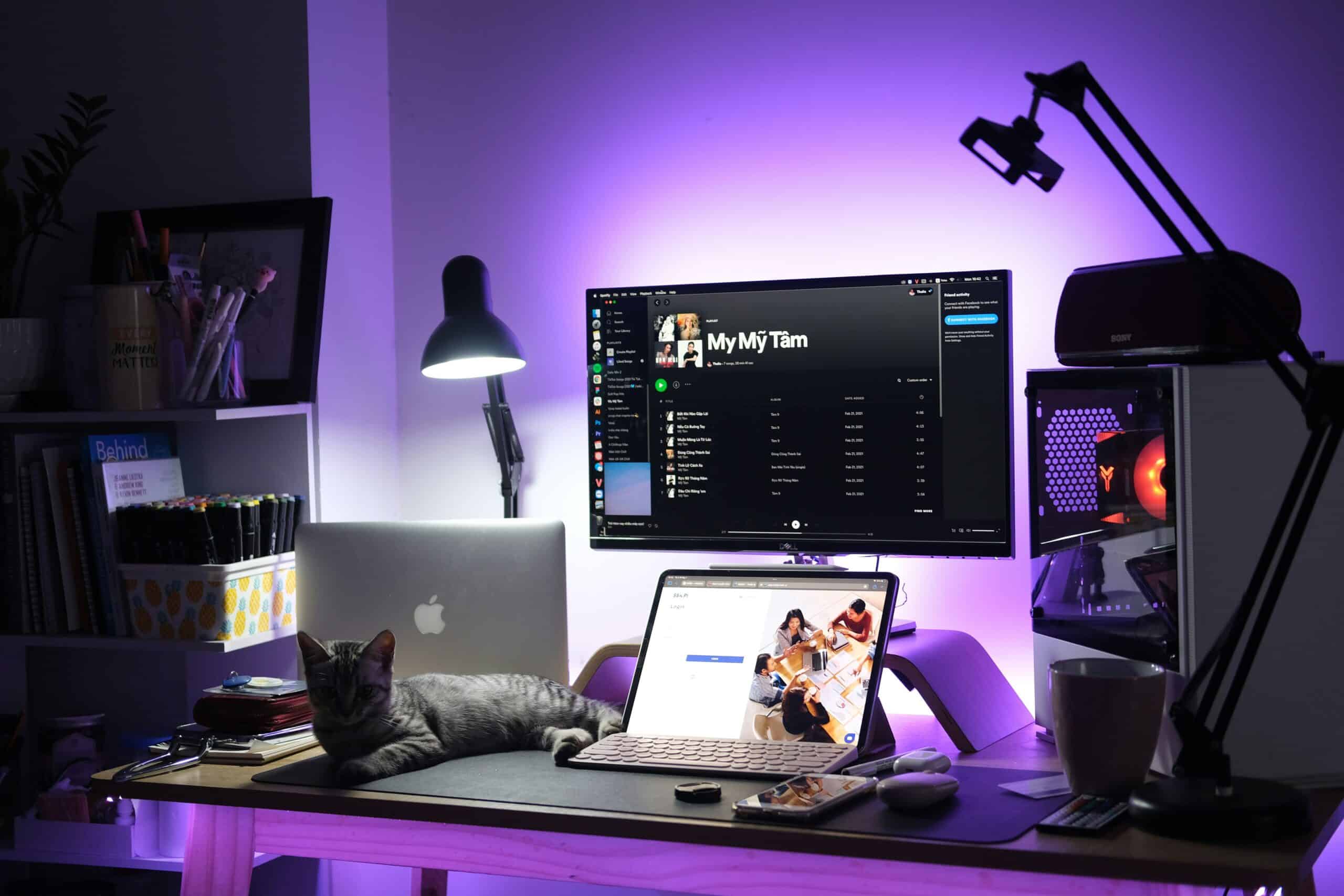
A migraine friendly workspace generally means the screen sits about an arm’s length away, with the top of the panel at or slightly below eye level, and brightness matched to the room rather than fixed at maximum. The migraine workspace setup calculator on this page turns that guidance into three numbers for one specific desk.
Desks drift out of position slowly. A monitor gets pushed back for space, a riser appears under a laptop, and the room light shifts with the season. Our guide to building a calmer desk covers the wider picture, while this page stays on the settings that move visual comfort most.
Medical Disclaimer
This page offers general information and is not medical advice. Adjusting a screen may ease visual discomfort for some people, but it does not diagnose or treat migraine. A clinician should guide diagnosis and treatment.
Quick Answer
Place the screen roughly an arm’s length away and set the top edge at or slightly below eye level. Match panel brightness to the room instead of running at full output. Then clear reflections off the surface and soften the light behind the desk.
Key Takeaways
- Viewing distance shapes visual effort more than panel size does.
- The top of the screen belongs at or just under eye level.
- Brightness should track the room, so it changes between morning and evening.
- Glare is light landing on the panel. Brightness is the panel’s own output.
- Bifocals and progressive lenses usually call for a lower screen.
- No calculator can diagnose a headache disorder or replace an eye exam.
Four inputs drive the result. Measure the screen corner to corner in inches, note whether the panel is a standard shape or an ultrawide, and judge the room light honestly. Then take a tape measure to the gap between the eyes and the panel while seated normally.
Symptoms the migraine workspace setup calculator cannot read
The tool works from measurements, not from how a person feels at four in the afternoon. Use the table below to trace a familiar complaint back to a likely cause.
| What you notice | Most likely setup cause | First adjustment to try |
|---|---|---|
| Leaning forward to read | Text set too small for the current distance | Raise system text size, then sit back to arm’s length |
| Aching behind the eyes late in the day | Panel output running well above the room light | Lower brightness until a white page looks like paper |
| A bright halo or washed out screen | Dim room paired with a panel near maximum output | Raise room light and lower the panel to meet in between |
| Neck ache at the base of the skull | Screen too high, or a laptop sitting flat on the desk | Drop the top edge to eye level and lift the laptop onto a stand |
| Dry or burning eyes | Long unbroken near focus with air moving across the face | Add short distance breaks and aim vents away from the desk |
| Glare stripes across the panel | A window or ceiling fixture reflecting off the screen | Turn the desk so the window sits to the side, then shade it |
| Squinting in a dim room | A bright panel framed by a dark wall behind it | Add low indirect light behind the screen instead of dimming |
Common desk complaints and the setup cause worth checking first.
Why viewing distance matters more than screen size
Distance decides how much of the visual field a screen fills. A modest monitor placed close can demand more effort than a large one placed properly. Buying a bigger panel and keeping it close just widens the arc.
Near focus also asks the eye muscles to hold one position. Mayo Clinic describes eyestrain as discomfort that builds during long stretches of concentrated near work, including screen use. Arm’s length is a starting point, and ultrawide panels usually sit a little further back.
Why the top of the screen sits at or just below eye level
A slightly downward gaze is the resting position for most people at a desk. With the top edge at or just under eye level, the head stays balanced and the eyelids sit lower. Lower lids cover more of the eye surface.
Screens mounted too high reverse that. The chin lifts, the neck extends, and the eyes stay wide open for hours. Cleveland Clinic links sustained awkward neck postures at a workstation to neck and shoulder discomfort that can spread upward.
Bifocals and progressive lenses change the math. Those lenses place the near correction low in the frame, so wearers tip the chin up to find the clear zone. The screen then belongs noticeably lower, and an optometrist can advise on a dedicated computer lens.
How to match brightness to the room instead of maxing it out
Brightness is a relationship, not a fixed setting. A panel that feels calm at noon beside a window can feel harsh in the same seat after dark. Maximum output guarantees a mismatch for part of the day.
A simple reference works well. Hold a sheet of white paper beside the screen and open a blank white document. If the screen looks clearly brighter, the panel is running hot for that room.
Glare and brightness are different problems
Glare is light from somewhere else bouncing off the panel toward the eyes. Brightness is light the panel emits on its own. The two feel similar and respond to completely different fixes.
Turning brightness down to fight glare backfires. The reflection stays as strong while the content behind it dims, so squinting starts. Move the light source or the desk instead, and keep a window to the side.
Flicker, refresh rate, and screen sensitivity
Some displays dim by switching the backlight on and off quickly rather than lowering output steadily. Most people never register it, though a minority report discomfort at low brightness settings. Raising brightness slightly and adding room light can settle that case.
The American Migraine Foundation lists flickering or unstable light among the environmental factors people commonly report as triggers, while noting that triggers differ widely. Room lighting flickers too, and aging tubes are the usual suspects. Swapping in low flicker bulbs removes one variable cheaply.
Ambient light around the desk and bias lighting
A bright rectangle floating in a dark room is a hard visual task. The eyes keep adapting between the panel and the shadowed wall behind it.
Bias lighting is the tidy version of the idea. A soft light behind the monitor washes the wall without shining toward the face. Our roundup of migraine friendly lighting for home offices covers fixtures built for a desk rather than a ceiling.
Front lighting needs more care, because overhead fixtures often land straight on the panel. Angled desk lamps and monitor light bars for eye strain aim light at the keyboard instead.
Contrast, text size, and why zooming out backfires
Fitting more on screen feels productive and usually costs comfort. Smaller text pulls the head forward, which quietly undoes the distance the calculator recommends. The screen has not moved, but the eyes have.
Scale the interface instead, since browsers and operating systems raise text size without changing resolution. Aim for text that reads easily with the shoulders relaxed against the chair. Faint gray text also forces extra effort, so check contrast too.
Breaks, and what the 20-20-20 habit is for
Long stretches of fixed near focus leave the eye muscles holding one position. The familiar 20-20-20 habit asks for a look at something roughly twenty feet away, for twenty seconds, every twenty minutes. Mayo Clinic and Cleveland Clinic both suggest regular distance breaks for general eyestrain care.
Frame it as maintenance rather than treatment. A break habit may ease the ache that builds through an afternoon, but it does not prevent a headache disorder. Our overview of screen time and head pain explains where that association is reasonably described.
Laptops and dual monitors that sit off axis
Laptops force a compromise, because the screen and keyboard share a hinge. Raising the screen to eye level lifts the keyboard too. A stand plus a separate keyboard fixes height and reach at once.
Two monitor setups fail differently. A second screen parked far to one side asks the neck to rotate and hold for hours. Put the screen used most directly ahead, angle the other beside it, and match their brightness.
What the migraine workspace setup calculator cannot tell anyone
The tool measures geometry and nothing else. It cannot diagnose migraine, tension type headache, or any other condition. The American Headache Society and the National Institute of Neurological Disorders and Stroke both stress that a headache pattern deserves clinical assessment.
It also cannot see a prescription. An uncorrected or outdated correction produces symptoms that look exactly like a badly placed screen. An eye exam should come before blaming the desk.
Finally, it cannot separate one input from many. Sleep, meals, hydration, stress, and posture share the same afternoon as the screen. Screen setup is one variable worth controlling, not the whole explanation.
Related Reading
For reflections that survive a desk rearrangement, compare our guide to anti glare screen filters. Readers dealing with dryness after long sessions can review eye drops for screen related dryness. Anyone rebuilding the desk itself may want our picks for standing desks that suit long working days.
Sources
- American Migraine Foundation
- American Headache Society
- National Institute of Neurological Disorders and Stroke
- Mayo Clinic
- Cleveland Clinic
Frequently Asked Questions
How does a migraine workspace setup calculator decide on a viewing distance?
It starts from the common guidance of roughly an arm’s length, then adjusts for the panel. Larger screens and ultrawide shapes usually need more room, because the outer edges otherwise sit at the limits of comfortable side vision. The current seated distance is then compared against that target.
Is a bigger monitor better or worse for visual comfort?
Neither on its own, because placement decides the outcome. A large panel at the right distance can be easier to read, since text sits larger without any zooming. The same panel kept close crowds the visual field and adds head movement on every line.
Should screen brightness ever sit at maximum?
Rarely, and usually only in a very bright room such as a desk beside a sunlit window. Maximum output in a dim room creates a strong mismatch between the panel and the space around it. A sheet of white paper held beside the screen is a useful check, since the two should look similar.
Does dark mode reduce screen related discomfort?
Some readers find it easier in dim rooms, while others find light text on dark backgrounds harder to follow. Dark mode mainly lowers the total light leaving the panel, so it addresses brightness rather than glare. Treat it as a preference worth trying for a week, not a universal fix.
How high should a laptop screen sit?
The same rule applies, with the top edge at or slightly below eye level. Reaching that height means lifting the whole machine onto a stand or a stack of books. A separate keyboard and mouse then keep the hands low, because typing on a raised laptop strains the wrists and shoulders.
Do blue light glasses solve eye strain at a desk?
Evidence for blue light filtering lenses remains mixed, and major clinical sources describe the benefit as uncertain. Distance, screen height, brightness matching, and regular breaks address the mechanics that most often cause discomfort. Anyone considering specialty lenses should raise it with an optometrist rather than start there.
When should I see a doctor about this?
Book an appointment when headaches become more frequent or more severe, when they interrupt work or sleep, or when the usual pattern changes. Sudden severe pain, new visual changes, weakness, confusion, or fever calls for urgent care right away. A clinician can also say whether an eye exam belongs in the plan.
