
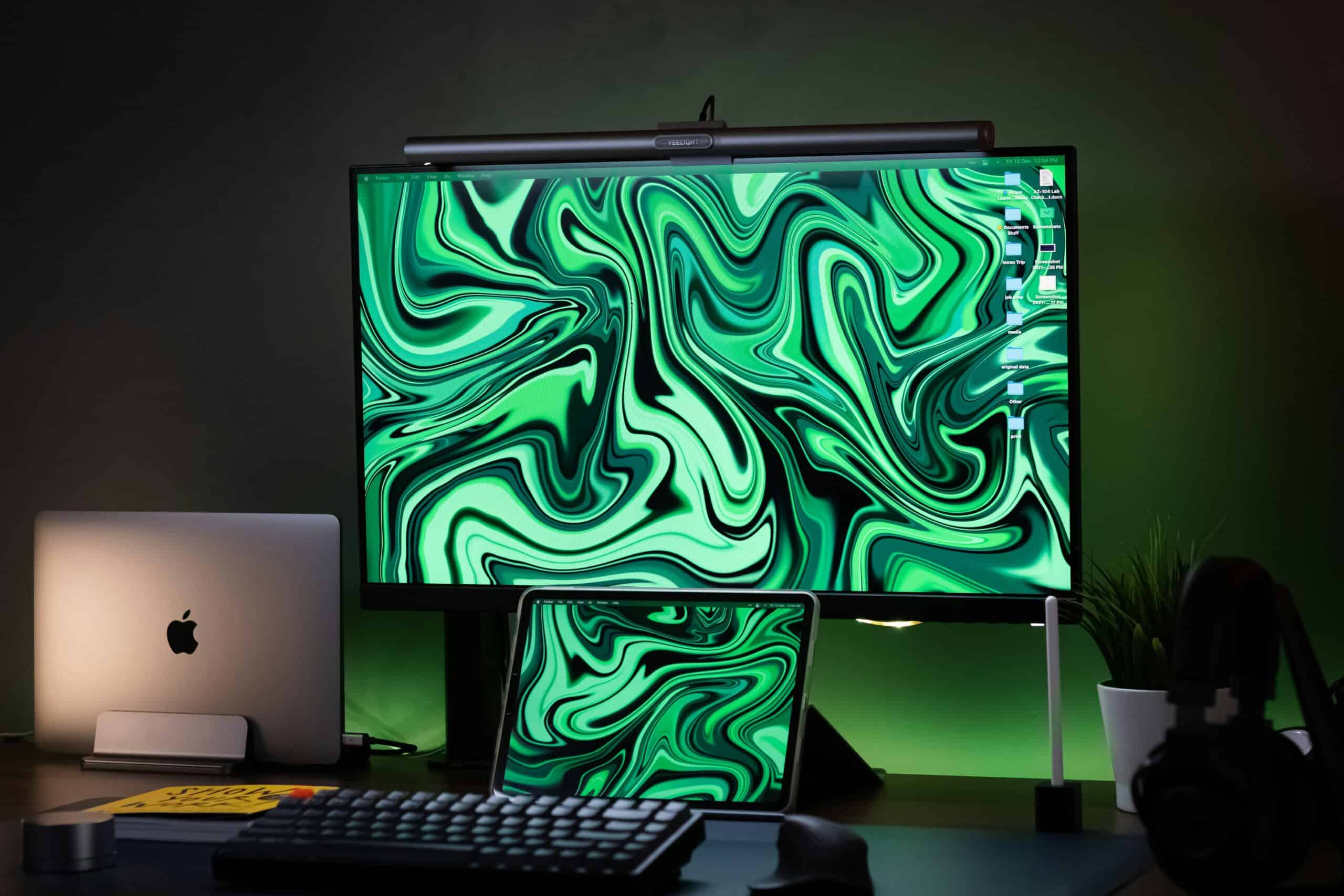
Working at a bright screen in a dim room, or under a harsh overhead light that bounces off the display, is a setup many people find uncomfortable after a few hours. A monitor light bar clips to the top of your screen and casts light downward onto the desk in front of you, filling in the surrounding brightness without throwing reflections back at your eyes. For people sensitive to light, which is a very common experience among those who get migraine,1 having finer control over desk lighting is worth having. The picks below are sorted by what each does best. For the full setup, see our guide to creating a migraine-friendly workspace.
This article is for general information and is not medical advice. Migraine is a neurological condition that should be diagnosed and managed by a qualified healthcare professional.
Quick Verdict
For most desks, a standard asymmetric monitor light bar with adjustable brightness and color temperature is the sensible default: it lights the desk, not the screen, and dims low enough for evening work. People who want hands-free control should look at models with auto-dimming, curved and ultrawide monitors need a compatible mount, and anyone on a budget can get the core benefit for much less. Look for a wide dimming range, since the lowest setting matters most if bright light bothers you.
Key Takeaways
- Asymmetric optics direct light onto the desk rather than back at the screen.
- A wide dimming range matters more than maximum brightness if light bothers you.
- Adjustable color temperature lets you use warmer light in the evening.
- Check mount compatibility with curved, ultrawide, or very thin monitors.
- Light bars are workspace equipment, not a treatment for any condition.
How We Picked These Light Bars
We prioritized asymmetric light distribution that keeps glare off the screen, then looked at how low the brightness dims and whether color temperature adjusts. We considered mount design and compatibility across monitor shapes.
We favored models with fine control rather than a few fixed steps. Every pick is a widely available type so you can match it to your monitor. Because light sensitivity is a medical topic, we treat these as lighting equipment and note where professional advice belongs.
Standard Asymmetric Monitor Light Bar
Why It Stands Out
A standard asymmetric light bar is the sensible default, using angled optics so light falls on the desk and keyboard while almost none reaches the screen surface. Adjustable brightness and color temperature cover most needs. Its balance of function and price makes it the starting point.
Worth Knowing
Cheap symmetric bars without proper optics can throw glare onto the screen. Check the listing specifies asymmetric lighting. It is the pick for general desk lighting.
Best for most desks wanting glare-free task light. Skip it if you need automatic adjustment.
BenQ ScreenBar Series
Why It Stands Out
The BenQ ScreenBar line is the established name in this category, with well-implemented asymmetric optics, a wide dimming range, and a mount that sits securely without clamping hard. Build quality and light control are its strengths. It set the pattern others follow.
Worth Knowing
It costs more than generic alternatives. Confirm the model fits your monitor thickness. It is the pick for refined light control.
Best for buyers wanting the best-regarded option. Skip it if you want the lowest price.
Auto-Dimming Light Bar With Ambient Sensor
Why It Stands Out
A light bar with an ambient light sensor adjusts brightness automatically as room light changes through the day, so the desk stays evenly lit without you reaching for a dial. Hands-free consistency is the appeal. It suits rooms with changing daylight.
Worth Knowing
Auto modes suit some people and irritate others; check it can be overridden manually. Sensors add cost. It is the pick for changing daylight conditions.
Best for rooms where natural light shifts a lot. Skip it if you prefer setting brightness yourself.
Wide Bar for Ultrawide and Curved Monitors
Why It Stands Out
A longer light bar designed for ultrawide or curved screens spreads light across the full desk width and uses a mount shaped for curved bezels. Fit and coverage are its purpose. Standard bars leave wide desks unevenly lit.
Worth Knowing
Wide bars cost more and need the right curvature match. Measure your monitor before ordering. It is the pick for ultrawide and curved setups.
Best for ultrawide or curved monitors. Skip it if you have a standard flat screen.
Wireless Remote Light Bar
Why It Stands Out
A light bar with a wireless remote puck lets you adjust brightness and warmth without reaching behind the monitor, which makes small adjustments through the day frictionless. Ease of adjustment is the draw. Small changes get made rather than tolerated.
Worth Knowing
The remote is another item on the desk and may need batteries or charging. Confirm the control range suits you. It is the pick for frequent adjustment.
Best for people who adjust lighting often. Skip it if you set it once and leave it.
Budget Monitor Light Bar
Why It Stands Out
A budget light bar delivers the essential benefit, desk light without screen glare, at a fraction of premium pricing. It is a low-risk way to find out whether the setup suits you. Value is its strength.
Worth Knowing
Budget models often have coarser dimming steps and fewer color temperature options. Check it dims genuinely low. It is the pick for trying the category.
Best for testing whether a light bar helps you. Skip it if you need fine dimming control.
How to Choose a Monitor Light Bar
Asymmetric Optics
The whole point of a monitor light bar is that its optics push light forward and down onto the desk rather than spilling onto the screen, which is what separates it from a generic LED strip. A bar without proper asymmetric design creates the reflections you were trying to avoid. Confirm the product specifies this.
Dimming Range
If bright light bothers you, the lowest brightness setting matters far more than the maximum, so look for a wide dimming range with fine steps rather than three fixed levels. Being able to go genuinely dim is what makes evening work comfortable. Fine control beats raw output.
Color Temperature
Adjustable warmth lets you use cooler light during the day and warmer light in the evening, which many people find more comfortable at night. Fixed cool-white bars offer less flexibility. Our guide to flicker-free bulbs covers room lighting.
Mount Compatibility
Check the bar’s mount suits your monitor’s thickness and shape, since very thin, curved, or ultrawide screens need specific designs. Our guides to anti-glare screen filters and screen time and migraine cover the display side.
Lighting, Screens, and Comfort
What Light Bars Address
Extended screen work is commonly associated with symptoms of digital eye strain including tired eyes, dryness, and headache, and adjusting screen brightness relative to surrounding light along with reducing glare is standard guidance for reducing that discomfort.2 A light bar targets exactly that balance by raising ambient desk light without adding glare. That is a comfort improvement, not a medical intervention. Before adding a light bar, check your screen position against the workspace setup calculator.
Realistic Expectations
Light sensitivity is a very common feature of migraine,1 so having control over your lighting environment is reasonable and often welcome. It does not treat or prevent migraine, and no lamp will. If light triggers or worsens your symptoms regularly, that is a conversation to have with a healthcare professional rather than a purchasing decision.
Common Light Bar Mistakes
Buying a Generic LED Strip
Without asymmetric optics, a light strip above your monitor throws glare onto the screen. Confirm the product is designed as a monitor light bar.
Ignoring the Minimum Brightness
Maximum output is rarely the issue. If bright light bothers you, check how low the bar dims.
Overlooking Mount Fit
Curved, ultrawide, and very thin monitors need compatible mounts. Measure before ordering.
Recommended Reading
- Creating a migraine-friendly workspace
- Anti-glare screen filters
- Flicker-free bulbs for the room
- Eye strain and migraine
- choosing migraine glasses
Frequently Asked Questions
Do monitor light bars help with eye strain?
They address one recognized contributor to it, which is the contrast between a bright screen and a dim room, along with glare from overhead lighting. Standard guidance for reducing digital eye strain includes adjusting screen brightness relative to the surroundings and minimizing glare.2 A light bar raises desk brightness without adding reflections, though it is a comfort measure rather than a treatment.
What makes a monitor light bar different from a desk lamp?
A monitor light bar uses asymmetric optics that direct light forward and down onto the desk while keeping it off the screen surface, and it mounts on the monitor so it takes no desk space. A conventional desk lamp typically spills light more broadly and can create screen reflections depending on placement. The anti-glare geometry is the main distinction. Screen height is the other half of the same problem, and a monitor arm or laptop stand brings the display up to eye level.
Should I use warm or cool light at my desk?
Many people prefer cooler light during the day and warmer light in the evening, which is why adjustable color temperature is a useful feature. There is no single correct setting, and comfort varies between individuals. If bright or cool light feels uncomfortable to you, having the option to shift warmer and dimmer is worth prioritizing.
Can lighting trigger migraine?
Sensitivity to light is a very common feature of migraine, and many people report that bright or harsh lighting is uncomfortable during and around attacks.1 Individual experiences vary considerably. If you find lighting consistently affects your symptoms, discussing it with a healthcare professional is more useful than relying on equipment changes alone.
Do light bars work with curved or ultrawide monitors?
Some do, but standard bars are designed for flat screens of typical width, so curved and ultrawide monitors generally need a longer bar and a mount shaped for the curvature. Fitting a standard bar to a curved screen can leave it unstable or unevenly lit. Measure your monitor and check compatibility before ordering.
When should I see a doctor about migraine?
Speak to a healthcare professional if you experience recurring headaches, if your usual pattern changes, if attacks become more frequent or severe, or if headaches interfere with daily life. Sudden, severe, or unusual headaches, or those accompanied by neurological symptoms such as weakness, confusion, or vision loss, warrant urgent medical attention. Adjusting your lighting is no substitute for proper diagnosis and management.
Sources
- >American Migraine Foundation. americanmigrainefoundation.org
- >American Academy of Ophthalmology. aao.org
