
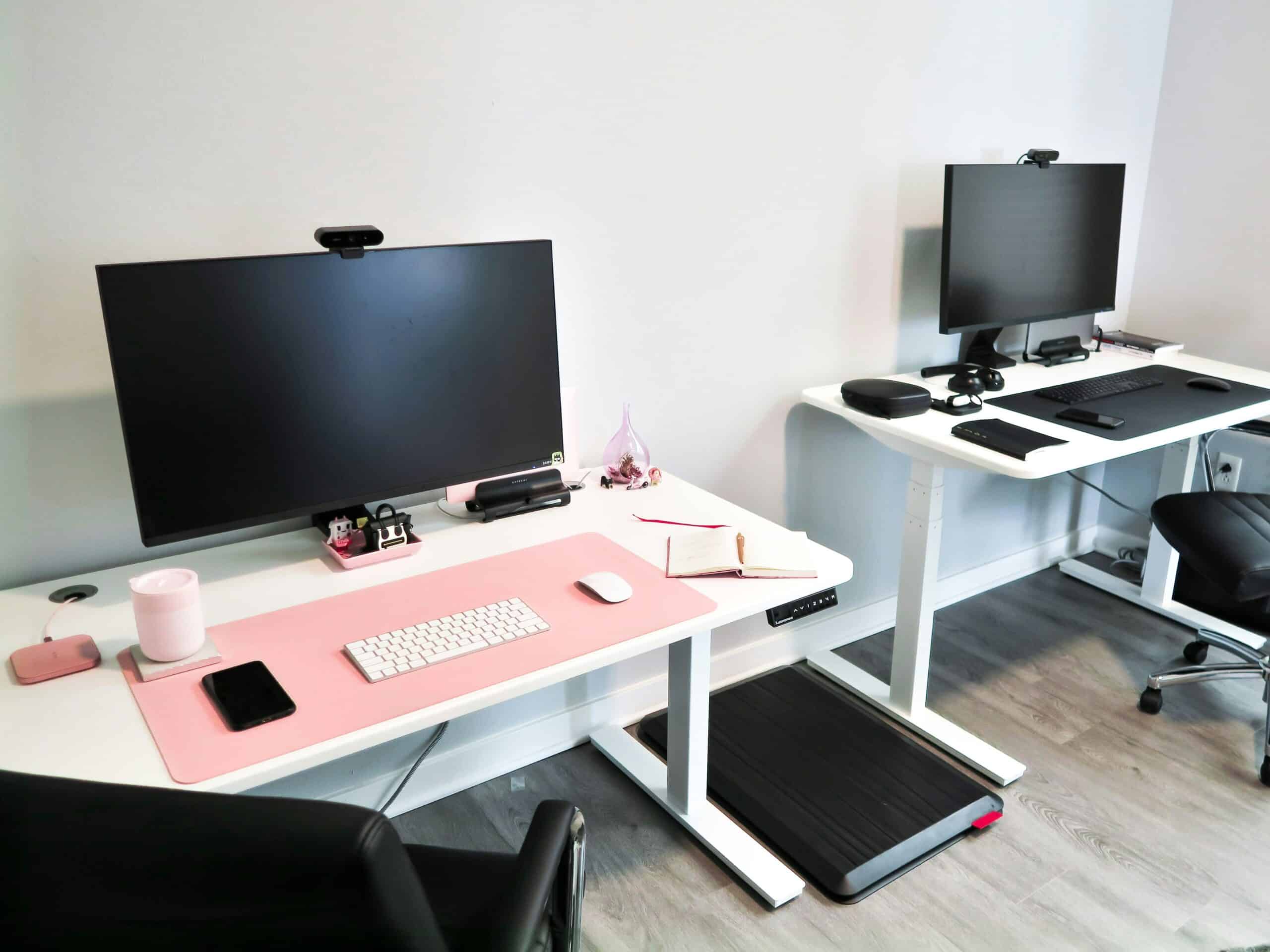
An under-desk walking pad suits a migraine-prone desk setup when it runs quietly at slow speeds and does not bounce your screen, because noise and visual motion are the two things that turn a useful habit into an aggravation. The best under-desk treadmills and walking pads for migraine solve a problem standing desks only half solve: NIOSH reviewed the literature on prolonged standing at work and reported consistent findings of low back pain, physical fatigue, muscle pain and leg swelling1. Standing still all day is its own stress, and walking slowly is not.
This is equipment for the hours you are already at a desk rather than a training purchase. The surface above it matters too, and standing desks covers that half.
Medical Disclaimer
This article is for educational purposes only and does not replace medical evaluation or treatment by a qualified clinician. Equipment does not treat or prevent migraine. Head pain brought on by activity needs medical assessment rather than a change of machine.
Quick Verdict
Buy a flat frameless pad with a quiet motor and a low minimum speed, and put a mat under it. The low end of the speed range matters far more than the top end, since walking fast at a desk reintroduces the bounce you were avoiding. Treadmills with handrails belong in a room, not under a desk.
Key Takeaways
- Minimum speed is the specification that decides whether you can type while walking.
- Motor noise sits under your desk all day, so quiet is not a luxury here.
- Screen bounce is the other half of the problem, and a stable desk fixes it.
- A mat underneath cuts vibration into the floor and the desk.
- Walking slowly is movement, not training, and it is the point.
- Nothing here is a preventive, and sudden intense exertion is a different matter entirely.
How We Picked These Walking Pads
We sorted these by form factor, because whether a machine has a frame and handrails changes entirely where it can live and how it behaves under a desk.
Then we weighted the two things that matter most for sensory load: how quiet the motor is and how low the speed goes. Both get far less attention in listings than top speed does.
We have not run these or taken measurements, so nothing here is a result from our own testing, and no product here is claimed to prevent or treat migraine. Whether desk walking suits you is a conversation with your clinician.
1. A Flat Frameless Walking Pad, Best Overall
Why It Stands Out
A frameless pad is low, quiet and slides under a desk or a sofa when you are done, which is what makes daily use realistic. No handrail also means nothing between you and the keyboard.
These are built for walking speeds rather than running, so the motor is not fighting to do something it was not designed for.
Worth Knowing
Belt width is narrower than a gym treadmill, so your stride has less room for error. People who drift sideways while reading notice it.
Most are controlled by remote or by an app, and app-only control means reaching for a phone to change speed.
This suits anyone walking at a desk for long stretches. Skip it if you want to run on it. Best for: quiet slow walking that stores flat when finished.
Check Price on Amazon2. A Low-Minimum-Speed Pad, Best for Typing While Walking
Why It Stands Out
A pad that starts genuinely slow is the difference between walking while you work and working while you walk. Below a certain pace your hands stop moving with your stride.
Slow walking also keeps breathing and heart rate out of the range where exertion becomes a question at all.
Worth Knowing
Minimum speed is often buried in the specifications or missing entirely, and a pad whose slowest setting is a brisk walk is no use for desk work. Look for the bottom of the range before the top.
Very slow belts can feel jerky on cheaper motors, which is its own distraction.
This suits anyone who types or takes calls while walking. Skip pads that do not publish a minimum speed. Best for: a pace slow enough to keep working through.
Check Price on Amazon3. A Quiet Brushless Motor Pad, Best for Sound Sensitivity
Why It Stands Out
Motor noise runs continuously for as long as you walk, directly under the desk, which is a different proposition from a machine you use for half an hour. Quieter motors make long use tolerable.
A quiet pad also means you can take calls without explaining the hum behind you.
Worth Knowing
Published decibel figures are measured in conditions that rarely match a hard-floored room, so treat them as a rough ranking rather than a number.
Belt noise and footfall contribute as much as the motor, and both get worse as a pad ages.
This suits anyone sensitive to sound during or between attacks. Skip the cheapest motors. Best for: keeping continuous noise down through a working day.
Check Price on Amazon4. A Treadmill Mat, Best Accessory
Why It Stands Out
A dense mat under the pad absorbs vibration before it reaches the floor, the desk and the screen. That single cheap item fixes most of the bounce problem.
It also protects flooring and stops the pad creeping across a smooth surface as you walk.
Worth Knowing
Thin yoga mats do not do this job, since density rather than thickness is what absorbs vibration. Equipment mats are heavier for a reason.
New rubber mats can smell strongly for a while, which matters if scent affects you.
This suits every setup, especially on hard floors or upper floors. Skip thin foam. Best for: cutting vibration into the floor and the desk.
Check Price on Amazon5. A Pad With a Folding Riser, Best for Mixed Use
Why It Stands Out
A riser that folds up gives you something to hold when you step on and off, which is the moment a flat pad is least stable. For anyone with balance symptoms after attacks that matters.
Folded down it goes back under the desk, so you are not choosing permanently between the two formats.
Worth Knowing
The hinge adds weight, height and one more thing to fail, and these are usually louder than frameless pads.
Raised risers can also sit awkwardly close to a desk edge, so measure before buying.
This suits anyone who wants a handhold for stepping on and off. Skip it if desk clearance is tight. Best for: a handhold without giving up under-desk storage.
Check Price on Amazon6. A Stable Heavy-Frame Desk, Best Pairing
Why It Stands Out
Screen bounce comes from the desk, not the pad, so a rigid dual-motor frame is what actually stops your monitor moving while you walk. A wobbling screen is visually demanding in exactly the wrong way.
Heavier frames also sit higher without flexing, which desk walking requires since you are taller on a pad.
Worth Knowing
Desk walking raises you by the pad’s thickness, so your usual standing height is now too low. Memory presets make that switch painless.
Monitor position also changes, and monitor arms and laptop stands cover getting the screen back to eye level.
This suits anyone pairing a pad with an existing sit-stand desk. Skip single-motor budget frames. Best for: stopping the screen moving while you walk.
Check Price on AmazonWalking Pads at a Glance
| Item | Main Benefit | Noise | Main Catch |
|---|---|---|---|
| Flat frameless pad | Stores under a desk | Lowest | Narrow belt |
| Low-minimum-speed pad | Slow enough to type | Varies | Spec often unpublished |
| Quiet brushless pad | Tolerable all day | Lowest | Costs more |
| Treadmill mat | Kills vibration | Reduces it | Rubber smell when new |
| Folding riser pad | Handhold on and off | Higher | Heavier, more to fail |
| Heavy-frame desk | Stops screen bounce | None | Expensive |
What to Look For in a Walking Pad
The bottom of the speed range
Top speed is marketing and minimum speed is the usable specification. A pad that cannot go slow enough to type through is a treadmill in the wrong room.
Continuous noise rather than peak noise
This machine runs for hours beside your head, so the question is whether the sound disappears into the background. Treat published figures as a ranking and read what long-term owners say about belts as they age.
Whether the screen moves
A bouncing monitor is visual work your eyes did not sign up for. A dense mat and a rigid desk frame between them solve nearly all of it.
Controls you can reach
Changing speed should not require picking up a phone or bending down mid-stride. A physical remote you can leave on the desk is the simplest answer.
Walking or Standing
Standing still has its own cost
Waters and Dick reviewed the evidence on prolonged standing at work and found health risks alongside evidence that interventions help, which is why a standing desk alone is not the finish line2. Static standing loads the legs and lower back without changing much else.
Switching is the actual goal
Sitting, standing and slow walking in rotation beats any one of them held for hours, and a pad adds the third option. Comfort on the other two still matters, which is what anti-fatigue mats and ergonomic chairs are for.
Common Walking Pad Mistakes to Avoid
Buying on top speed
You will never use the top of the range at a desk. Every specification that matters here sits at the slow end.
Skipping the mat
Vibration travels into the desk and the floor, and the mat is the cheapest component in the whole setup. Going without it is how the screen ends up moving.
Leaving the desk at sitting height
You are now several inches taller, so wrists and neck end up in a worse position than before. Posture at a desk is its own subject, covered in whether posture causes migraines and building a migraine-friendly workspace.
Treating it as a workout
Slow desk walking is movement through a working day rather than training, and pushing the pace is where exertion becomes a question. Whether exercise can trigger migraines covers that line.
Setting the Rest of the Desk Up
Feet when you are sitting
A desk raised for walking is too high for sitting unless you lower it, and a footrest handles the gap on the days you do not. Desk footrests cover it.
Water within reach
Walking all day quietly increases fluid loss, and a bottle on the desk is easier than remembering. Water bottles for hydration covers the options.
Movement beyond the desk
Desk walking is not the same as structured aerobic exercise, which has the stronger research base in migraine. Cardio against strength training sets that out.
Recommended Reading
Worth reading next: exercising the day after a migraine, which covers returning to movement after an attack.
When to See a Neurologist
- A sudden severe headache during exertion, particularly for the first time.
- Head pain that reliably follows activity rather than occasionally.
- Any headache you would call the worst of your life.
- New headaches beginning after age fifty.
- Attacks becoming more frequent across weeks or months.
- Weakness, numbness, speech difficulty or vision loss with pain.
- Headache with fever, neck stiffness or a rash.
- Pain that wakes you or is worst first thing.
- Headache after any head or neck injury.
- Dizziness or unsteadiness that persists between attacks.
- Needing acute medication on most days to get through.
- Visual symptoms that appear specifically while moving.
Walking Pad FAQ
What are the best under-desk treadmills and walking pads for migraine
A flat frameless pad with a quiet motor and a genuinely low minimum speed, on a dense treadmill mat, under a rigid desk frame. A folding riser version suits anyone who wants a handhold. Minimum speed and continuous noise are the two specifications that decide it.
Can walking at a desk trigger an attack
Slow walking is low-intensity movement rather than exertion, and sudden intense effort is what appears more often in exercise trigger reports. Noise and a bouncing screen are the likelier problems with a pad, and both are fixable with a mat and a stable desk.
How slow should the belt go
Slow enough that your hands stay steady on a keyboard and your breathing does not change. The exact figure varies by stride, which is why the published minimum speed matters more than any recommendation.
Do I need a mat underneath
Yes, and it is the cheapest useful part of the setup. A dense mat stops vibration reaching the floor and the desk, which is what keeps the screen still and keeps neighbors below from hearing it.
Will my monitor shake
It can, and that is a desk problem rather than a pad problem. A rigid dual-motor frame and a mat between pad and floor remove most of it, and a monitor arm clamped to a solid desk helps further.
Is a walking pad better than a standing desk
They solve different halves of the same problem, since prolonged static standing carries documented downsides of its own. Rotating between sitting, standing and slow walking is the approach, rather than replacing one fixed posture with another.
When should I see a doctor about this
See a doctor if head pain starts suddenly during activity, if it reliably follows movement, or if it comes with weakness, numbness, speech difficulty or vision loss. Persistent dizziness or unsteadiness while walking also needs assessment rather than a slower belt speed.
Can I use one during an attack
Routine physical activity commonly worsens an attack in progress, and motor noise plus visual motion are both poor company for one. Switching it off is the reasonable response rather than slowing it down.
Sources
- National Institute for Occupational Safety and Health. Prolonged Standing at Work. NIOSH Science Blog, Centers for Disease Control and Prevention. https://www.cdc.gov/niosh/bulletin/2014/standing.html
- Waters TR, Dick RB. Evidence of health risks associated with prolonged standing at work and intervention effectiveness. Rehabilitation Nursing. 2015;40(3):148-165. https://pubmed.ncbi.nlm.nih.gov/25041875/
